
Team
The console is a workspace: people, roles, agent tokens, and the subscription. Tenant data is not mixed: each workspace has its own database.
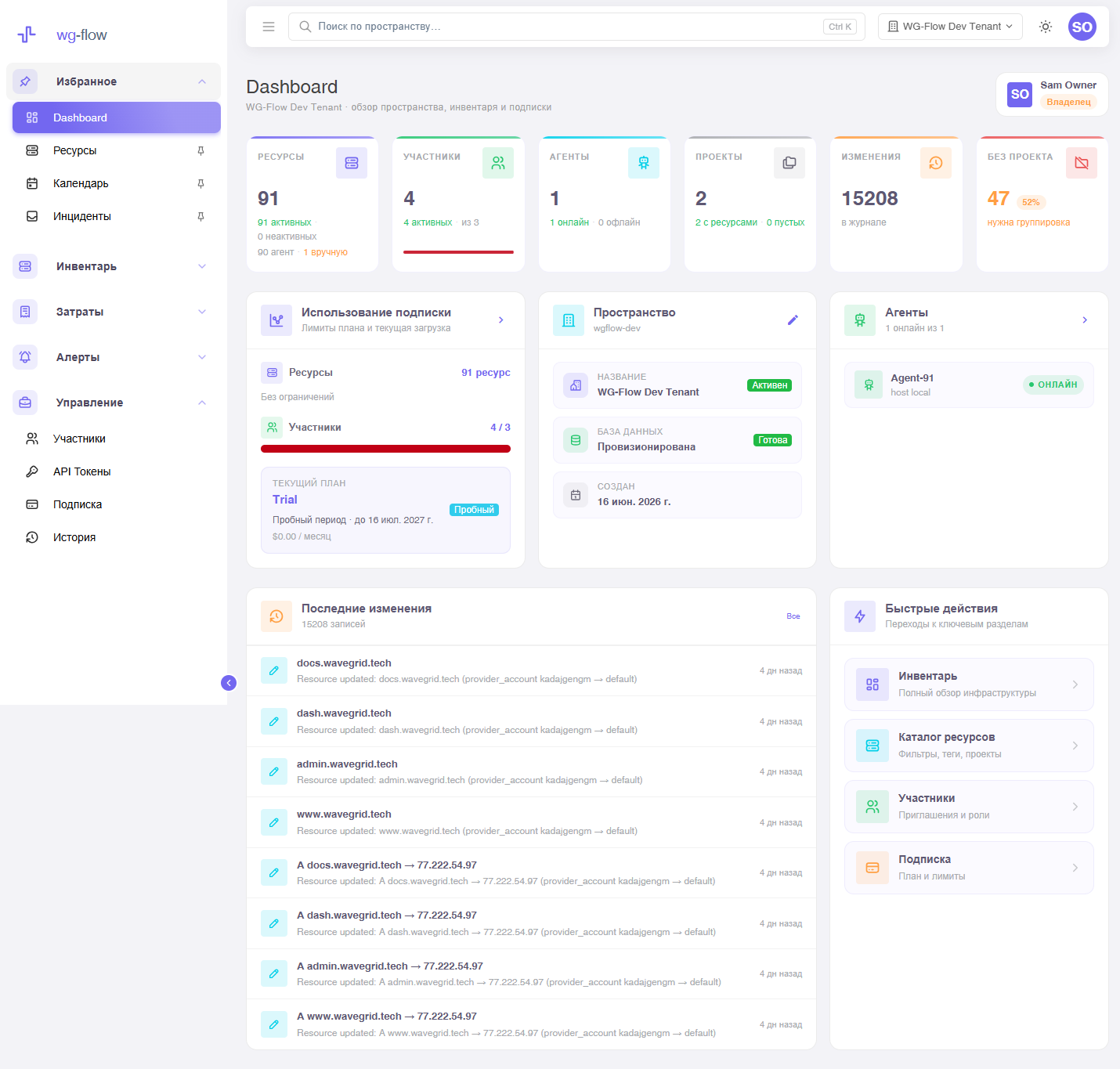
Dashboard is the home screen after sign-in: resource and agent counts, plan limits, recent changes. In the sidebar it always lives under Favorites; other items can be pinned — pins are yours in this workspace.
Roles
| Role | Can |
|---|---|
| owner | Everything: inventory, costs, alert rules, members, tokens, subscription, inventory settings. |
| devops | Writes inventory (catalog, merge, manual resources). Costs are read-only. |
| manager | Writes costs. Inventory is read-only. |
Only the owner writes alert rules; everyone sees the inbox. You cannot demote the last owner — assign another first.
People join from the members page. The agent needs an API token, not a person’s password.
Workspaces and profile
The header shows the current workspace name. You can switch or create another (if the pilot allows it). A pending invite shows up at sign-in.
Profile (avatar, name) and interface (light / dark theme, ru / en) live in the user menu, with no reload.
Workspace search (Ctrl+K) has its own page.