
Costs
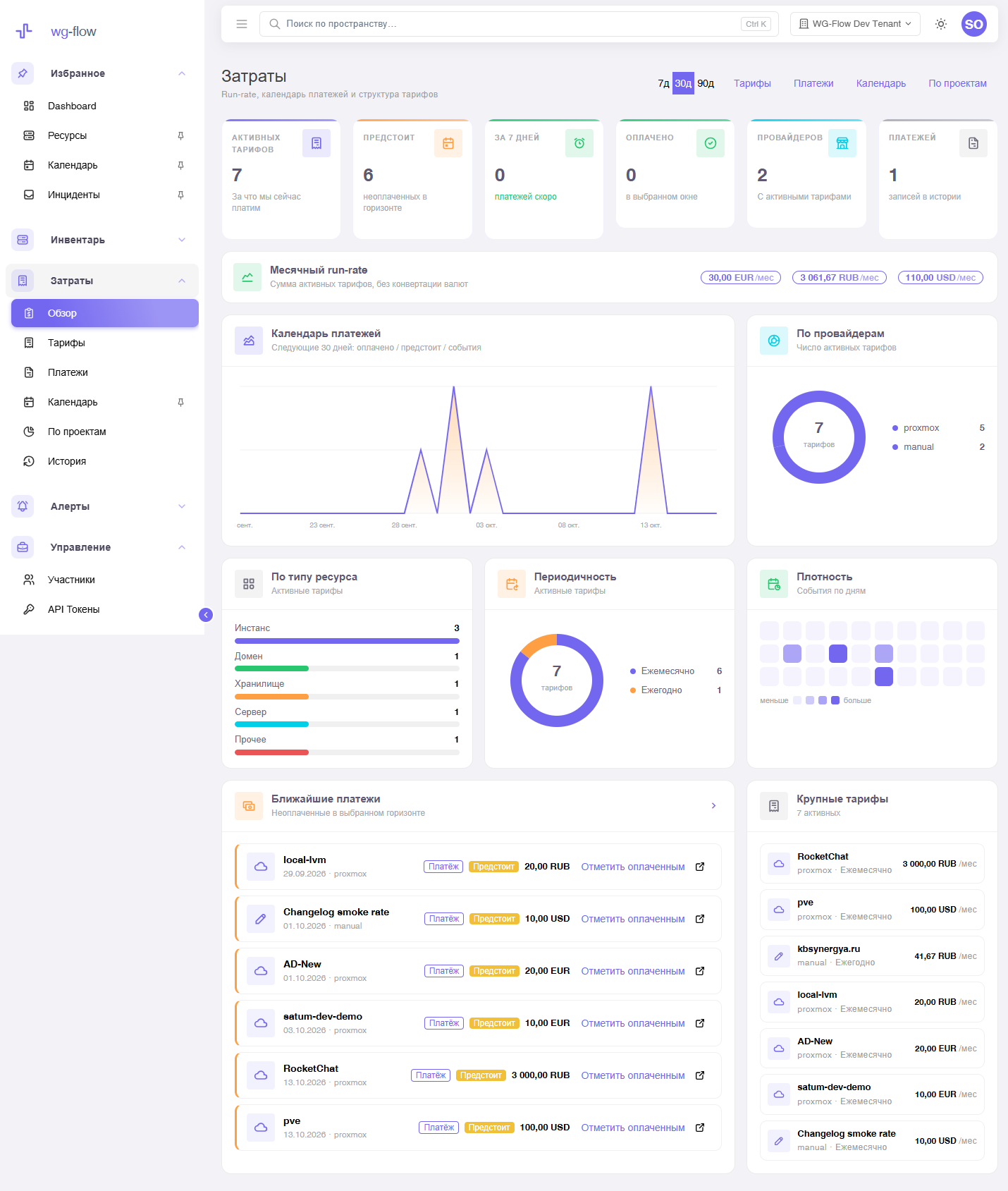
Costs is the console section about your money, not the provider’s invoice. The CTO / finance question: “what is expensive, and when do we pay?”
The model is simple:
- Rate — what you will pay (monthly or yearly). The next due date is computed.
- Charge — what you already paid. The next rate invoice can be marked paid.
- Calendar — upcoming payments plus one-off events (domain, contract).
A rate does not store its own project: it comes from the resource card. Currencies are never summed into one number.
Getting started
- In the catalog, assign projects if you want grouping.
- Open rates → Add rate and attach an amount to a resource (or an “other expense”).
- Use the calendar and mark the next invoices paid.
- Project totals live under By project.
Screens in the console
Sidebar Costs:
| Item | Purpose |
|---|---|
| Overview | Run-rate, rate mix, upcoming payments. Horizon 7 / 30 / 90 days. |
| Rates | Catalog: search, chips, pagination. Click opens the rate card with invoices. |
| Charges | Already-paid invoices (history). |
| Calendar | List or month; view and filters are remembered. |
| By project | Active rates grouped by the resource’s project. |
| Changelog | Who created / updated / deleted a rate, charge, or calendar event. |
Roles
| Role | Costs |
|---|---|
| owner / manager | Writes rates, charges, calendar, mark-paid. |
| devops | Read-only. |
What costs is not
- It does not pull a Hetzner / AWS invoice — you set the amount.
- It does not convert EUR + RUB into one figure.
- It does not email renewals — use alerts (
renewal_upcoming) for that.