
Inventory
Inventory is the console section that answers “what do we have, and where?”: servers, VMs, domains, storage, and records you add by hand.
Data arrives in two ways:
- The agent on your network queries providers and pushes snapshots. Proxmox, Prometheus, and other credentials never leave your network.
- Manual records for things the provider does not know (colo, someone else’s account, legacy). Agent sync does not overwrite those cards.
Getting started
- Connect an agent and wait for online under Agents.
- Open the catalog — the full resource table.
- Group with projects and tags.
- Merge cross-provider duplicates on Merges.
If you have no agent yet, use Add resource in the catalog.
Console navigation
The sidebar is grouped: Favorites, Inventory, Costs, Alerts, Management. Click a group heading to collapse it independently of the others. The header has workspace search (Ctrl+K) — see Search.
Favorites always includes Dashboard. Pin anything else with the star next to its name — the set is yours, in this workspace. Resources often lives in Favorites if you open the catalog every day.
Screens in the console
The Inventory group:
| Item | Purpose |
|---|---|
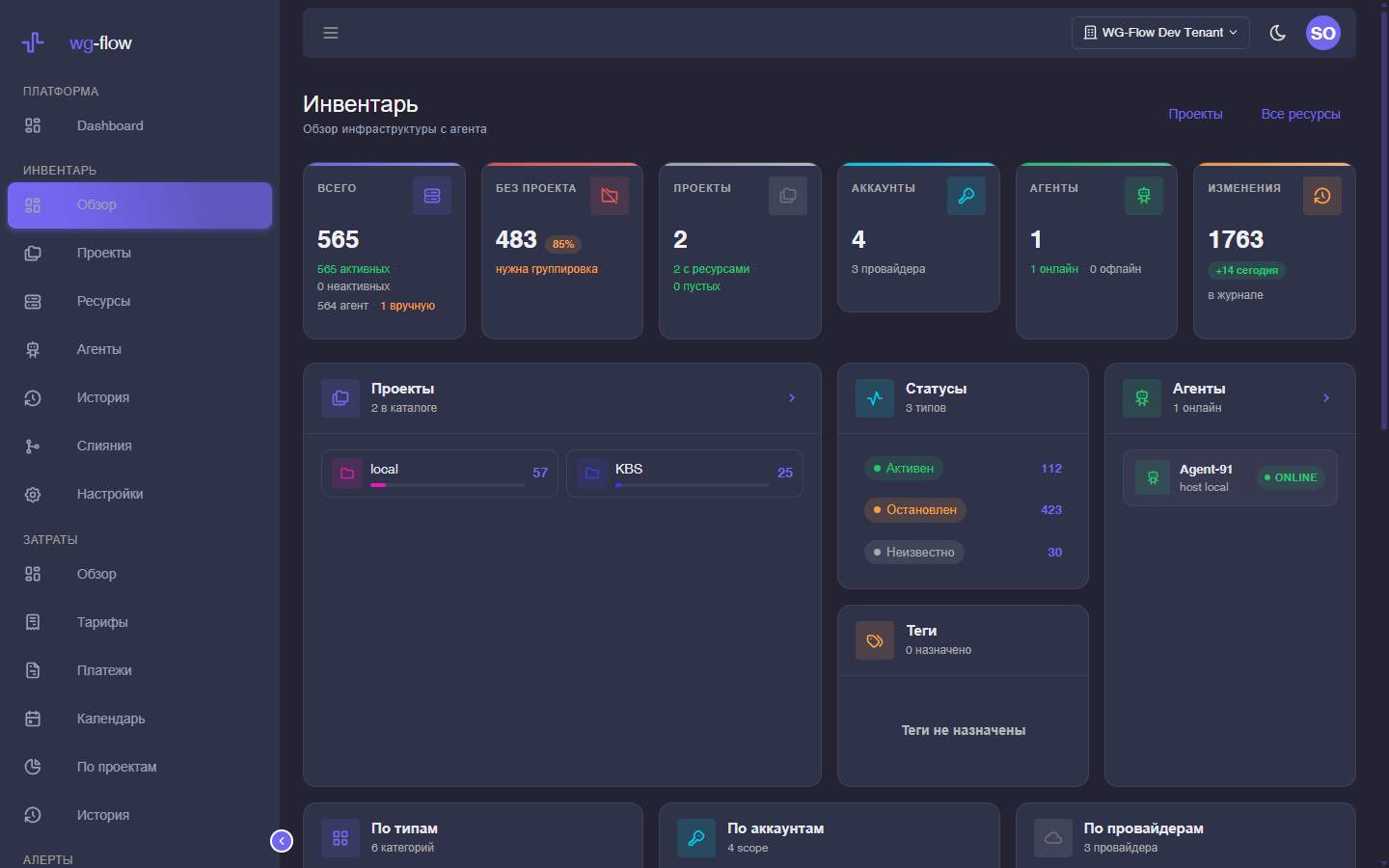
| Overview | Totals: resources, projects, agents, recent changes. |
| Resources | Catalog: filters, domains, bulk edit, CSV. |
| Agents | Online / offline, last sync, errors. |
| Changelog | Who changed what. |
| Merges | Suggested duplicates (IP, name, hostname). |
| Settings | Owner only: projects, the tag catalog, and metadata keys for the changelog. |
A single resource opens from the catalog — see the resource card.
Roles
| Role | Inventory |
|---|---|
| owner | Full access, including settings, deleting a manual record, and dismissing an agent row. |
| devops | Writes the catalog: tags, assigning an existing project, merge, manual resources, notices. Only the owner creates projects. |
| manager | Read-only here (costs are a separate write path). |
Every member can see the catalog, changelog, and agents.