
Resource catalog
Inventory → Resources. Everything the workspace knows: from the agent and added by hand.
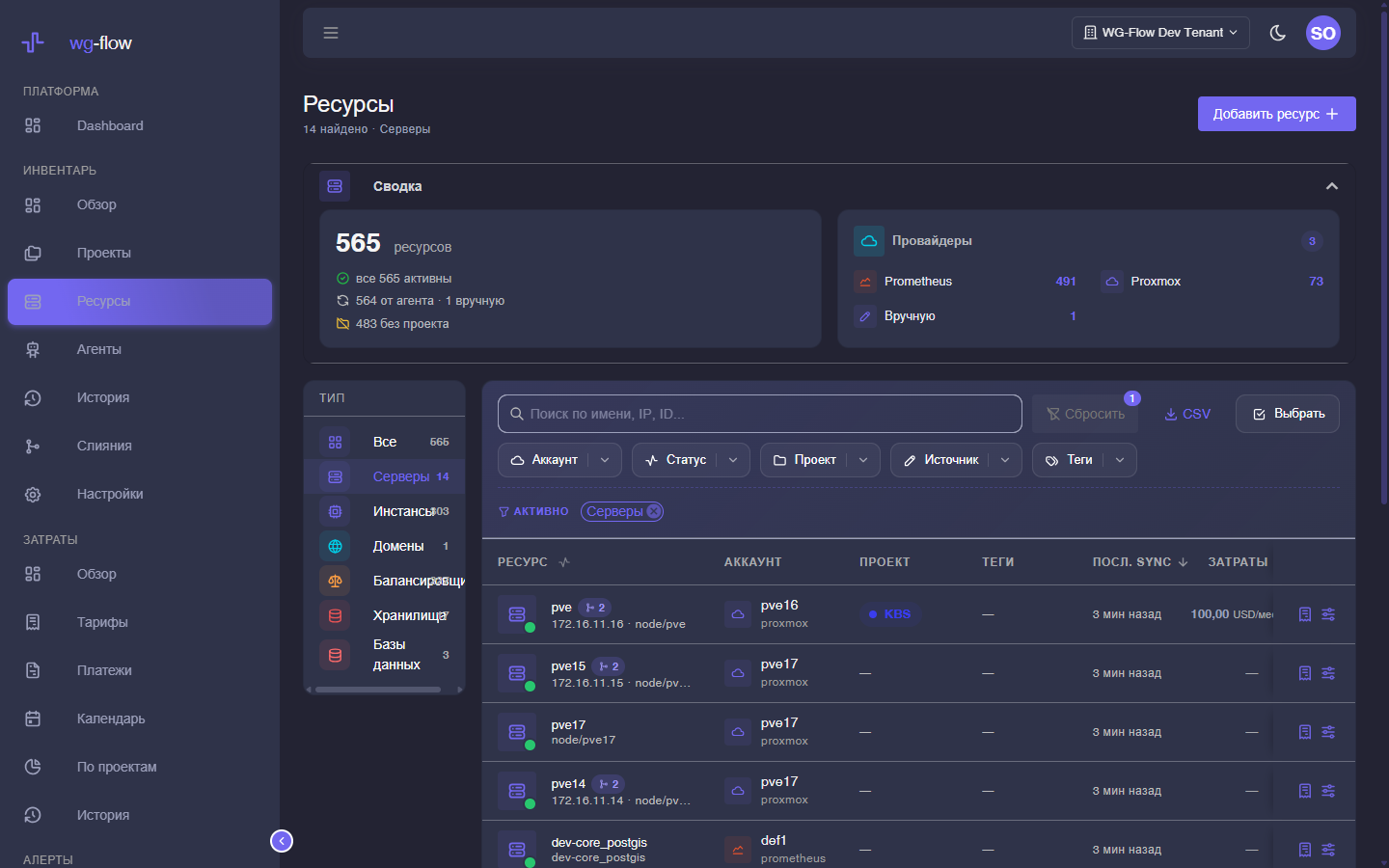
Search matches name, IP, and provider id. Filters, sort, and page stick while you move around the console (and stay in the URL). Header search (Ctrl+K) also finds resources — Workspace search.
Columns
| Column | Meaning |
|---|---|
| Resource | Name, type, IP or source id. Several sources — a merge pill next to the name. |
| Account | Site name (provider_account from the plugin). |
| Project | One project, or unassigned. |
| Tags | Only from the tag catalog. |
| Last sync | When the agent last saw the resource. Older than 24 hours — warning. |
| Costs | Active rate, if any. Click opens the rate in Costs. |
Default sort is newest last-sync first.
Filters
Chips above the table and the filter button:
- Type — server, VM, domain, storage, and the rest of the taxonomy
- Status — active, down, unknown…
- Project / unassigned
- Tags (several — OR)
- Account and provider
- Source — agent or manual
- Active only
Page size: 25 / 50 / 100 rows.
Domains
The Domains type is not a flat FQDN list. It shows apex groups (example.com → subdomains). Subdomains do not count in All.
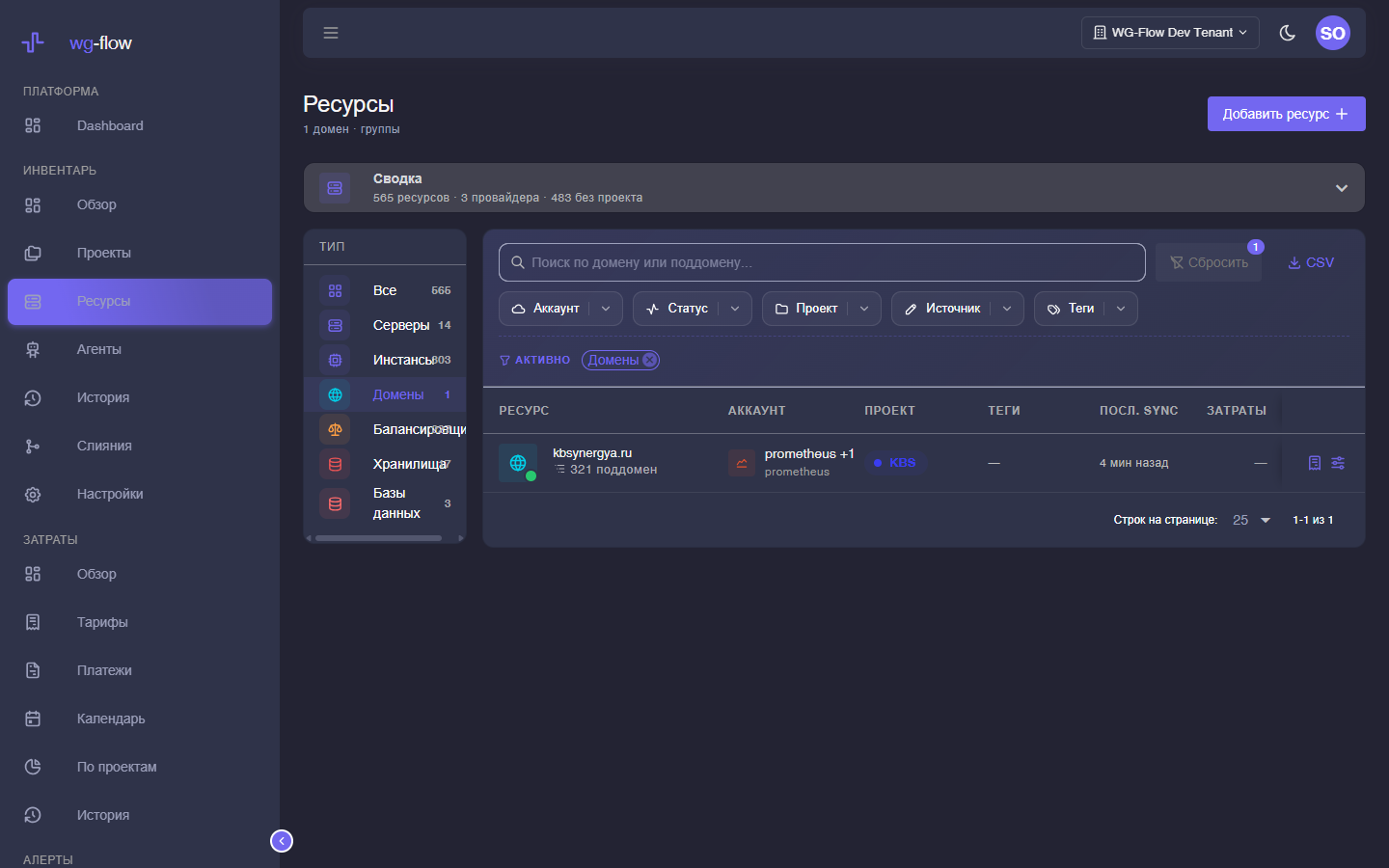
- Click a group to open the zone card (the console creates an apex resource if needed).
- Tree icon / “N subdomains” — flat list
?apex=…. - Show subdomains in the catalog — full dump without grouping.
This is scrape/FQDN UX, not a DNS zone tree.
Bulk actions
Selection mode (checkboxes):
- Tick rows (or “all on this page”).
- Edit — tags (add / remove / replace) and/or project, up to 500 resources.
- Merge — if ≥ 2 are selected, the merge dialog opens. Untick a row to leave it out.
Esc leaves selection mode.
CSV and manual records
- CSV — current filters, no pagination, max 10,000 rows. Over the limit → validation error.
- Add resource (devops / owner) — a manual card: name, type, status, account, region, project, tags. Agent sync does not overwrite it. Hitting the subscription resource cap returns an error.
Empty catalog: connect an agent or add a row by hand.