
Alerts
Alerts watch inventory and costs and raise an incident in the console. Email, Slack, and anomaly detection are not in this version — only the in-app inbox.
Evaluation is about once a minute. Until an incident is resolved, the same condition does not open a second card (dedup by rule and scope). After resolve a cooldown applies (minimum 60 s).
Getting started
- The owner creates a rule (agent offline, stale resource, run-rate threshold, upcoming payment).
- When the condition is true, an incident appears.
- Any member acknowledges and resolves. If the condition becomes false, the console may resolve it on its own.
Screens
Sidebar Alerts:
| Item | Purpose |
|---|---|
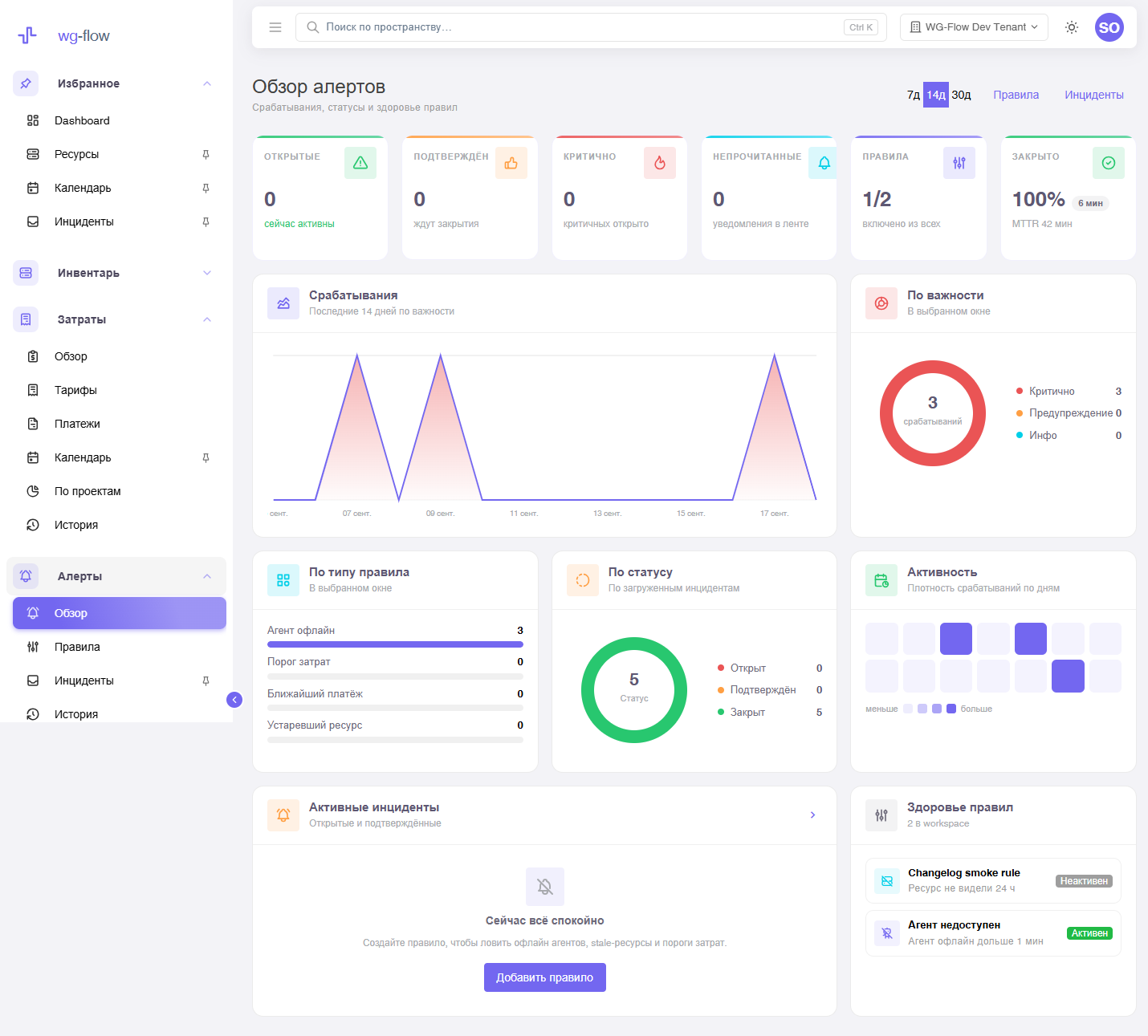
| Overview | Open / critical counts, charts, rule health. Horizon 7 / 14 / 30 days. |
| Rules | Rule catalog. CRUD is owner-only. |
| Incidents | Open, acknowledged, resolved plus a notifications tab. |
| Changelog | Who created / updated / deleted a rule (ack/resolve are not logged there). |
The sidebar shows badges for open incidents and unread notifications.
Roles
| Role | Alerts |
|---|---|
| owner | Creates and edits rules. |
| every member | Reads rules and the inbox; ack / resolve / mark read. |
Not in this version
Email, Slack, anomalies, and Expiry Hub come later. A rule is not a replacement for provider monitoring: it looks at data already normalized in the console.