
Proxmox VE
Status: available · package wg-flow-plugin-proxmox · provider proxmox · category virtualization.
The plugin queries the Proxmox VE API (GET /api2/json/cluster/resources) and sends nodes, VMs, containers, and storage into inventory. PVE credentials stay in the agent YAML.
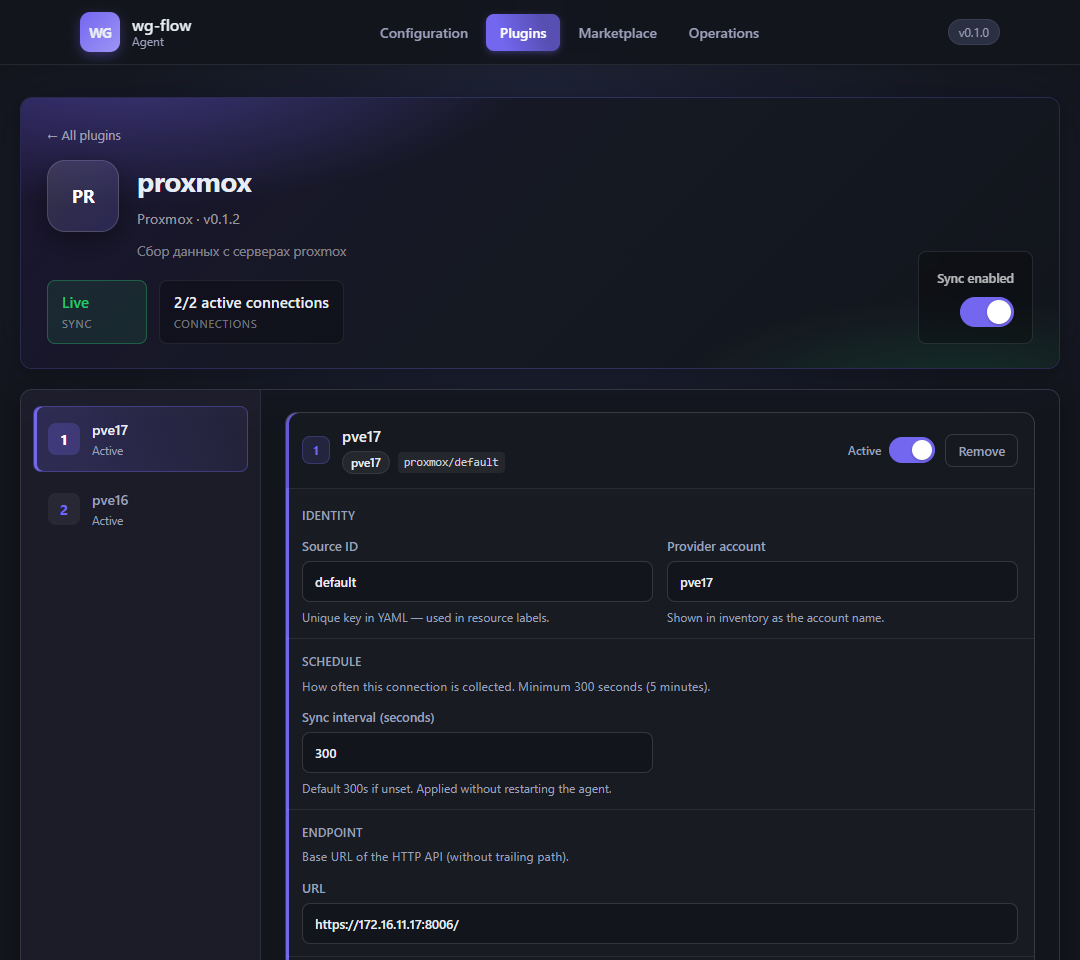
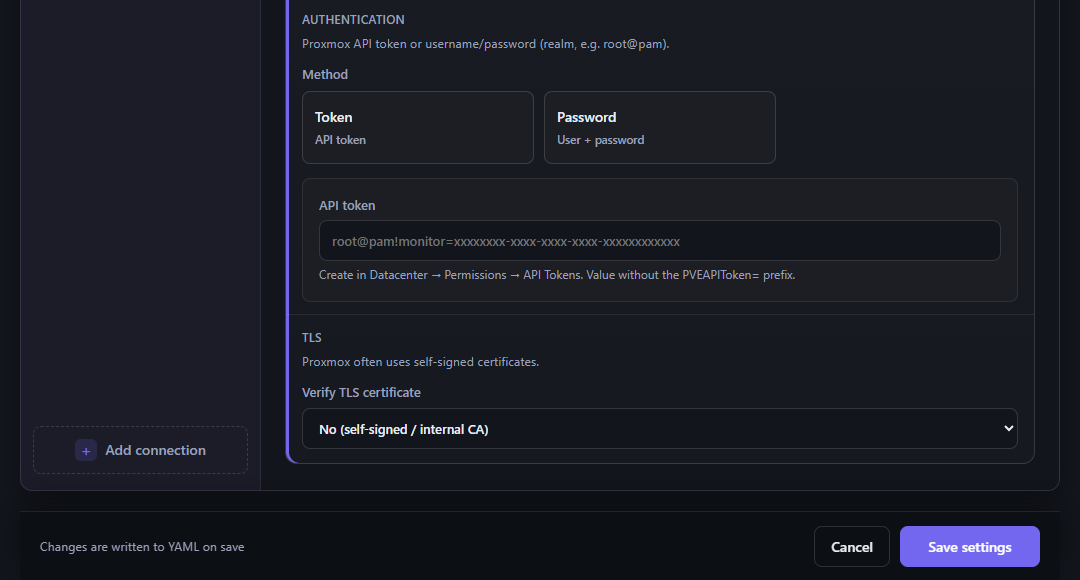
The local UI form is built from the plugin schema:
Install
The agent must be connected to the API.
docker compose exec agent wg-flow-agent plugin install proxmox
# or
wg-flow-agent plugin install proxmox
After install, open the local UI → Connections → proxmox, or edit YAML by hand.
What lands in inventory
| PVE object | resource_type | provider_resource_id |
|---|---|---|
| Node | server | node/{name} |
| QEMU VM | instance | qemu/{vmid} |
| LXC | instance | lxc/{vmid} |
| Storage | storage | storage/{id} |
Statuses: running / online / available → active; stopped / offline / paused → stopped; otherwise unknown. The raw PVE status is copied to metadata.status.
For running qemu/lxc the plugin tries to read the network:
- qemu — QEMU Guest Agent (
agent/network-get-interfaces), else IP fromconfig(netN/ip=); - lxc —
/interfaces, else config.
Metadata: primary_ipv4, hostname = VM name. The resource id does not become host:{ip} — it stays qemu/{vmid} / lxc/{vmid}. The same host seen by Prometheus is a second inventory row; you can merge them in the console.
YAML
plugins:
  proxmox:
    enabled: true
    sources:
      - id: dc1
        provider_account: "proxmox-dc1"
        sync_interval_seconds: 300
        url: "https://pve.example.com:8006"
        auth_type: token
        api_token: "user@pam!wgflow=xxxxxxxx"
        verify_tls: false
Several clusters = several sources with different id and provider_account.
Source fields
| Field | Required | Description |
|---|---|---|
id | yes | Short key in logs (proxmox/dc1) |
provider_account | yes | How the site appears in inventory |
sync_interval_seconds | no | Minimum 300 |
url | yes | API base, usually https://host:8006 |
auth_type | yes | token or password |
api_token | if token | See format below |
username / password | if password | user@realm and password (ticket auth) |
verify_tls | no | false for a self-signed cert |
API token format
Create a token in Datacenter → Permissions → API Tokens. In YAML use only user@pam!tokenid=secret, without the PVEAPIToken= prefix.
Need cluster read, and guest agent if you want IPs. A view-only role is enough for the pilot.
Password auth is the fallback; a token is preferred.
Check
wg-flow-agent status
wg-flow-agent dry-run
Dry-run JSON should contain provider: proxmox. Then Sync now in the UI or wait for the interval. In the console: Inventory, filter provider Proxmox.
Common errors
| Symptom | Check |
|---|---|
| TLS / certificate verify failed | verify_tls: false or your CA |
| 401 / CSRF | token without PVEAPIToken=; user@pam!id=secret |
| Empty collect | URL must not include /api2/json; node unreachable |
| VM without IP | Guest Agent missing / not running |