
Local UI
Built-in YAML editor on port 8765. This is not the WaveGrid console: it runs next to the agent, with no login, and writes the same file as the CLI.
The sidebar lists Overview, Configuration, Connections, Marketplace, and Operations. On a narrow screen it becomes a drawer. Light and dark themes are available.
When a newer agent is published, an Update available banner appears under the top bar with a link to Releases and a docker pull command. The version chip in the header also changes color. To update: docker compose pull && docker compose up -d.
Start
Docker — in the agent service environment in docker-compose.yml:
WGFLOW_UI_ENABLED: "true"Then docker compose up -d.
CLI:
wg-flow-agent ui              # 127.0.0.1:8765
wg-flow-agent run --ui
Open http://127.0.0.1:8765. Do not expose the port to the internet.
After Save, the scheduler picks up YAML on its own (mtime watch). You do not need to rebuild the container.
Overview
The home screen. Agent → platform connection diagram, KPI tiles (connections, plugins, interval, plugin updates), and the source list.
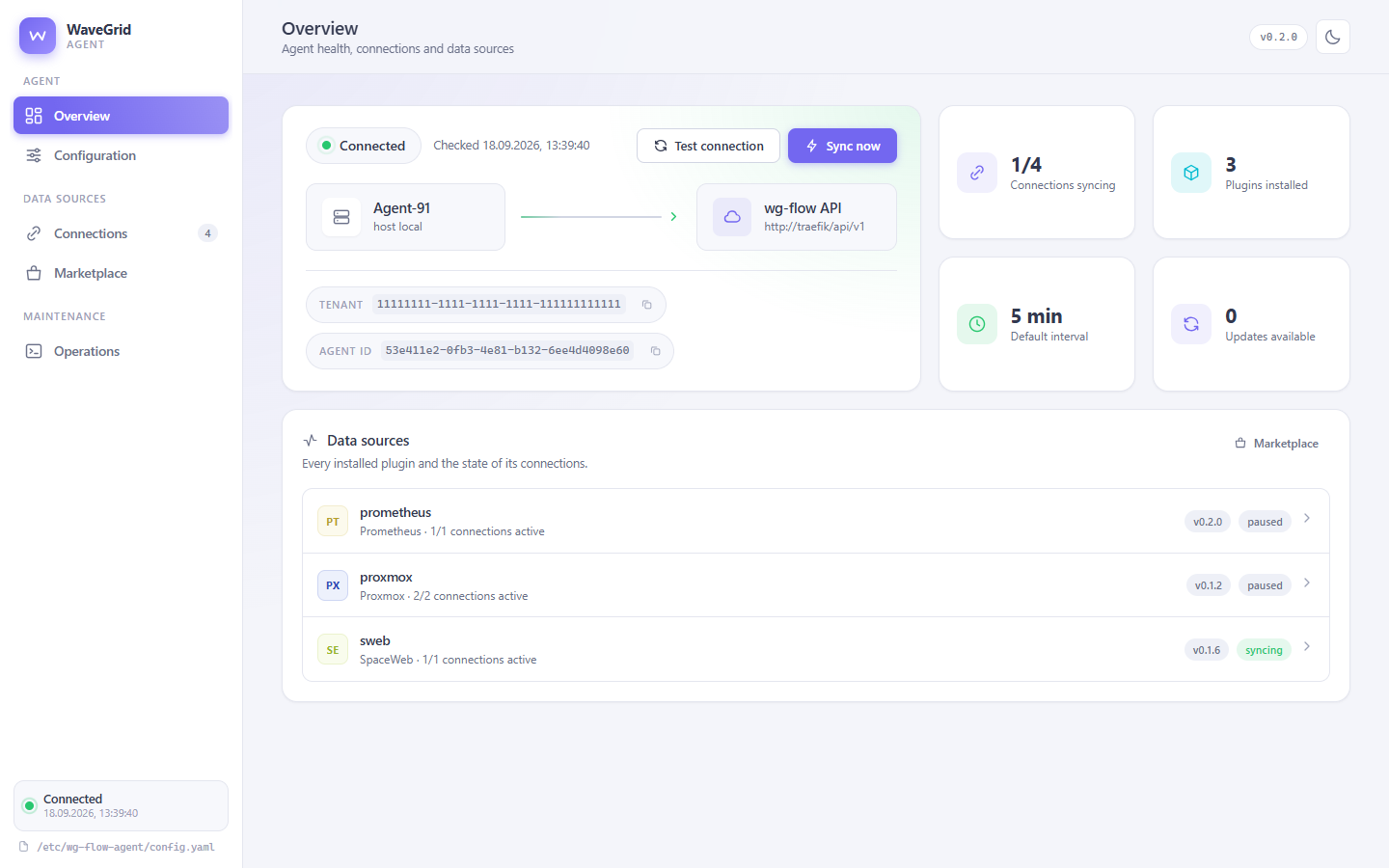
If this agent is behind the latest release, the update banner shows on every page, not only Overview.
Configuration
Platform connection, agent name, and the default interval.
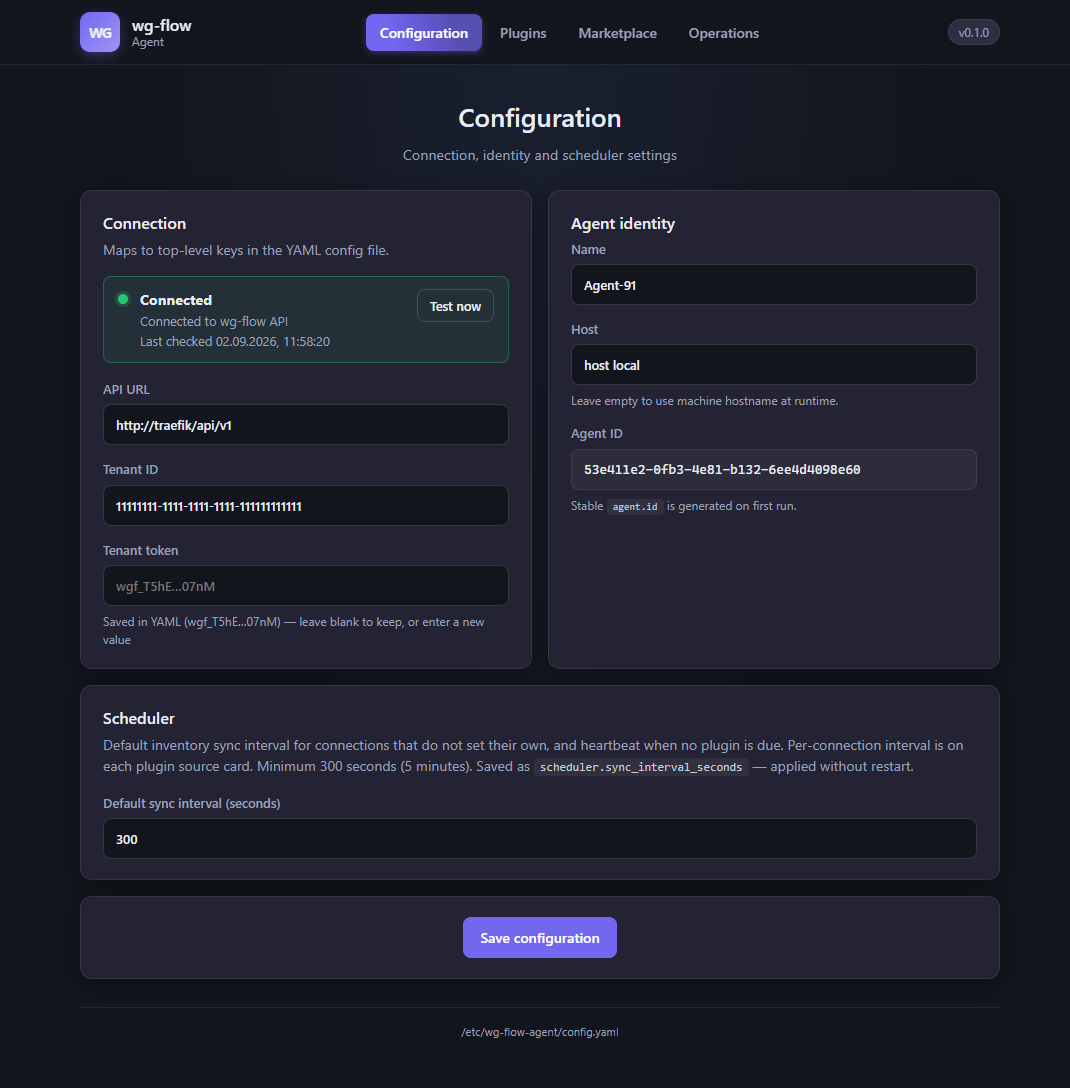
| Block | Purpose |
|---|---|
| Connection | api_url, tenant_id, tenant_token. Connected / error banner plus Test now (probe POST to /sync/ with an empty resource list). |
| Agent identity | agent.name, agent.host. Agent ID (agent.id) is issued on first run and is not editable — the platform uses it to recognize the same instance. |
| Scheduler | scheduler.sync_interval_seconds, minimum 300. Default and heartbeat when no source is due. Per-source interval lives on the source card. |
| Save configuration | Writes YAML. An empty tenant token does not overwrite the stored one. |
The token in the form is masked (wgf_…). You copy the value once from the console: Connect.
Connections
Installed integrations (sidebar label Connections). Click a card to open plugin settings.
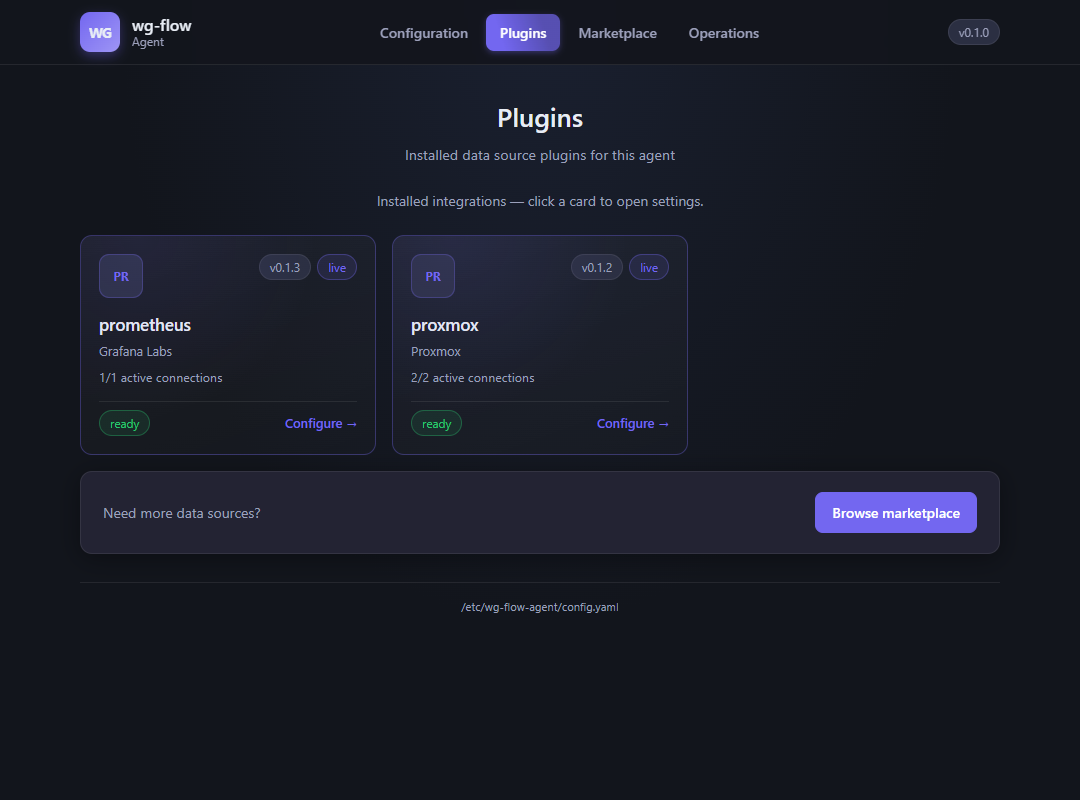
Each card shows the wheel version, how many sources are active, ready / error, and Configure. Browse marketplace if you need another provider.
Plugin settings
The form is built from the plugin schema (not hardcoded in the UI). Multiple connections appear as source tabs on the left, plus Add connection.
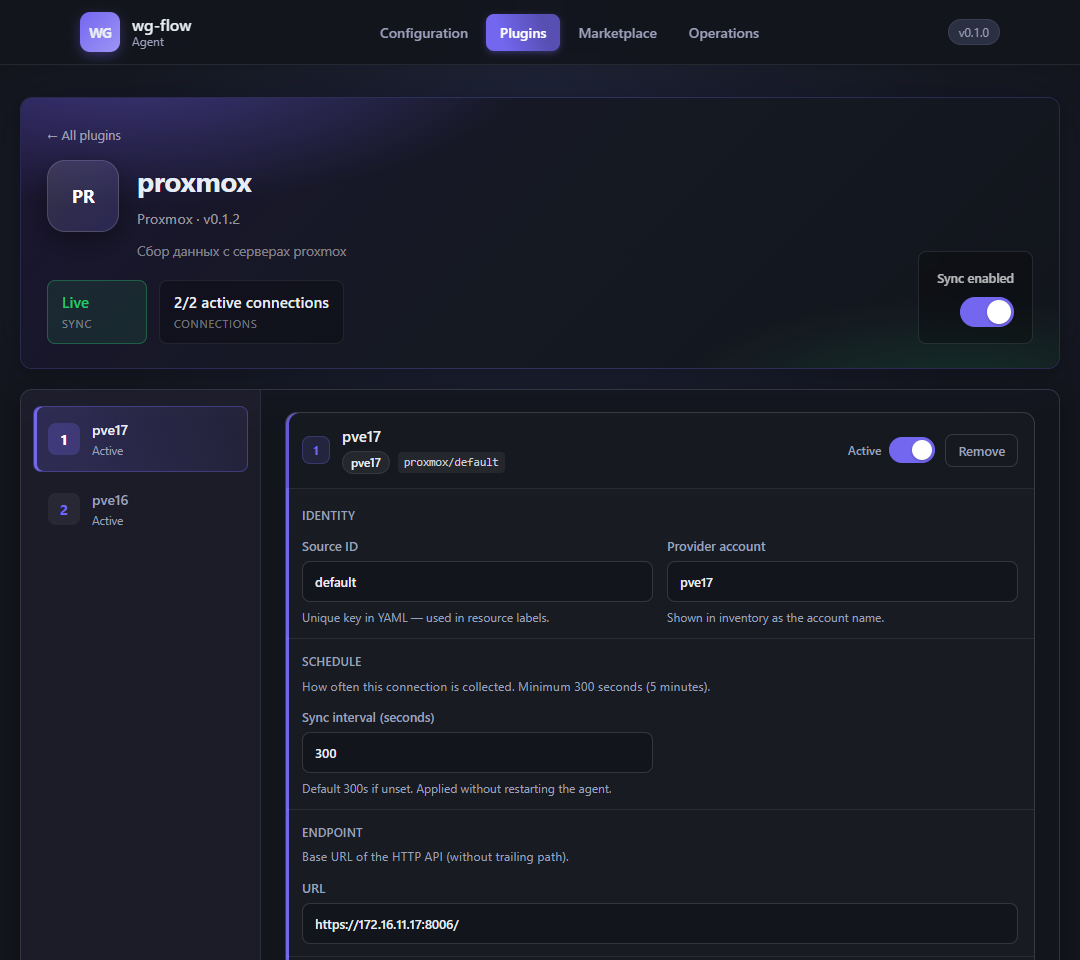
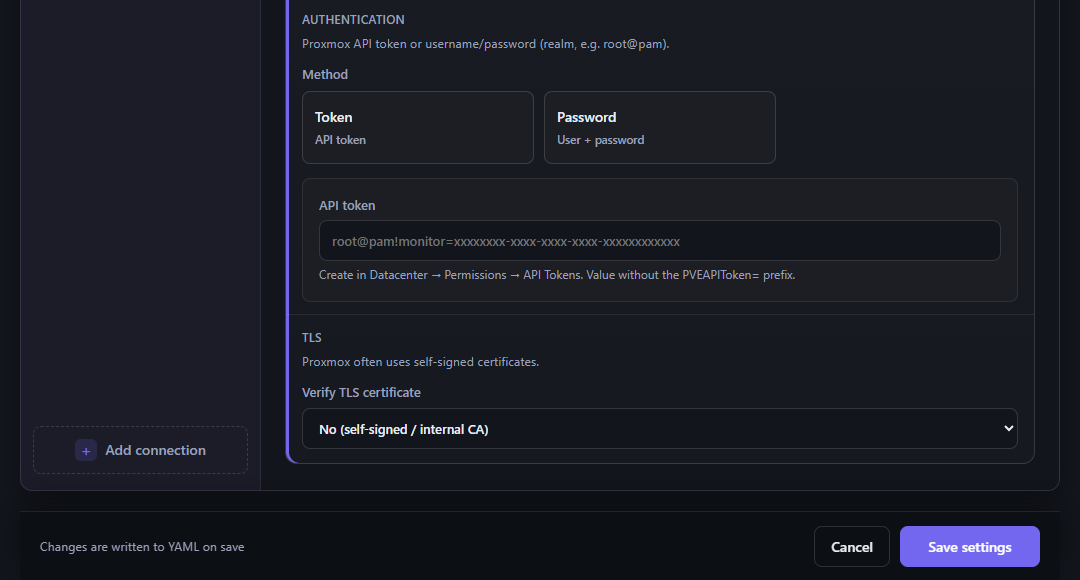
Typical source fields:
- Source ID — YAML key (
plugins.proxmox.sources[].id) - Provider account — how the site appears in inventory
- Sync interval — minimum 300 s
- API fields (URL, token, TLS…) — per plugin, see the catalog
Sticky bar at the bottom: Cancel / Save settings.
Marketplace
Catalog from the platform (same tenant token as sync). Search by name, provider, or category.
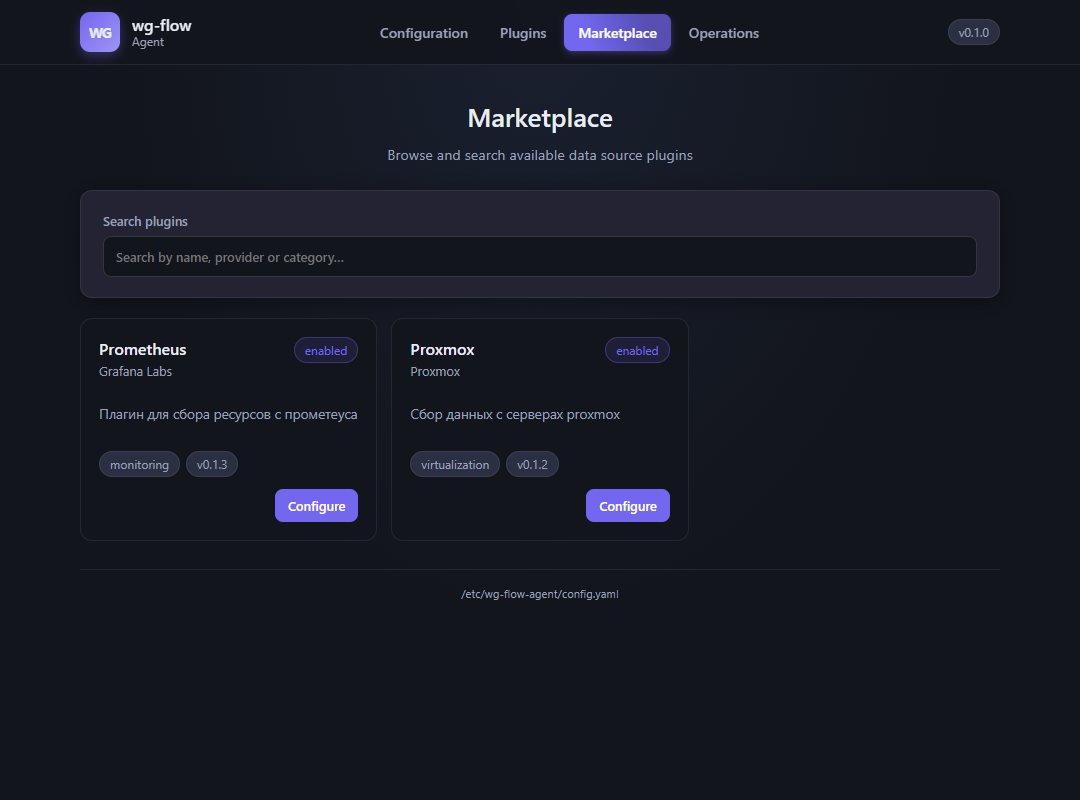
- Wheel not installed — Install (downloads the package into the plugin dir).
- Already installed — Configure (same as the Connections card).
- Coming soon — package not published yet; install is disabled.
Provider details: plugin catalog.
Operations
One-shot actions without editing YAML. Result goes to Output.
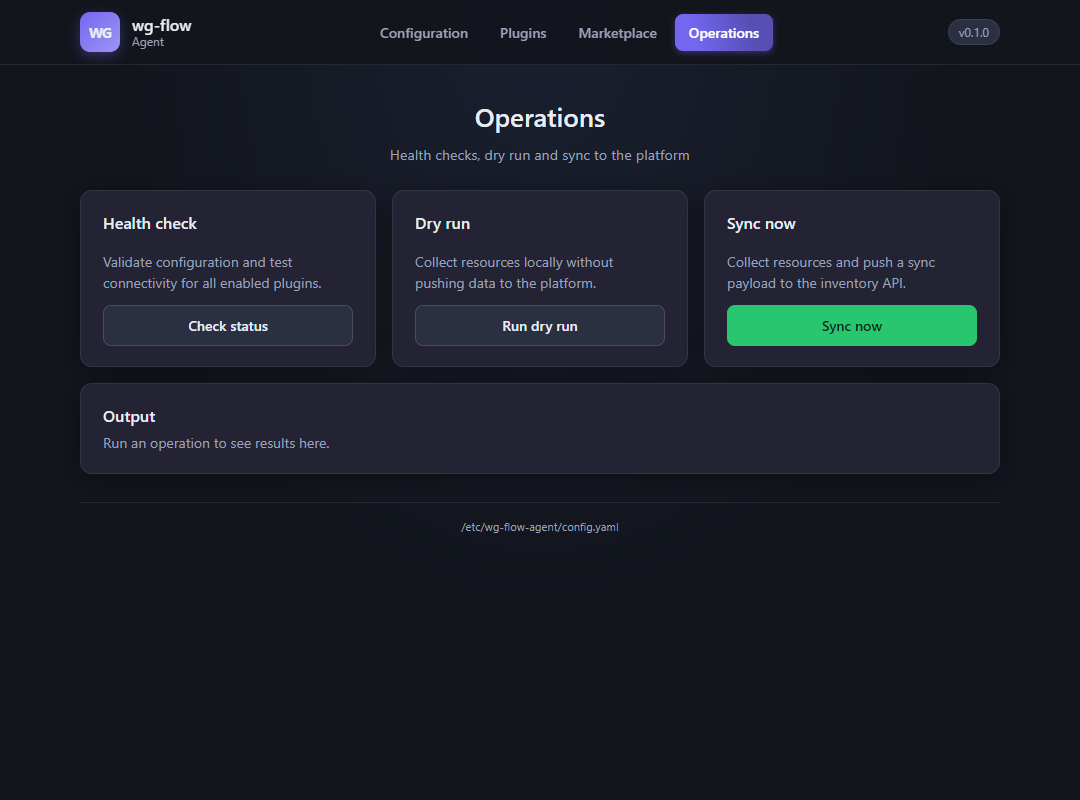
| Action | What it does |
|---|---|
| Check status | Config validation + health of enabled plugins (wg-flow-agent status). |
| Run dry run | Collect → JSON in Output, no POST to SaaS. |
| Sync now | Collect all enabled sources → POST /sync/. Intervals do not filter a one-shot. |
The scheduler keeps running in the background.
Do not
- Expose
:8765to the internet without your own auth - Treat the UI as the WaveGrid console: inventory, costs, and alerts live only in SaaS