
Inventory settings
Settings in the sidebar is owner only. Three tabs: projects, tags, and changelog/sync.
Projects
The project catalog: name, description, color, and resource count. Create, edit, and delete live on this tab. Deleting a project does not delete resources — they become unassigned.
The resource count opens the project card: its members and Add resources. See Projects.
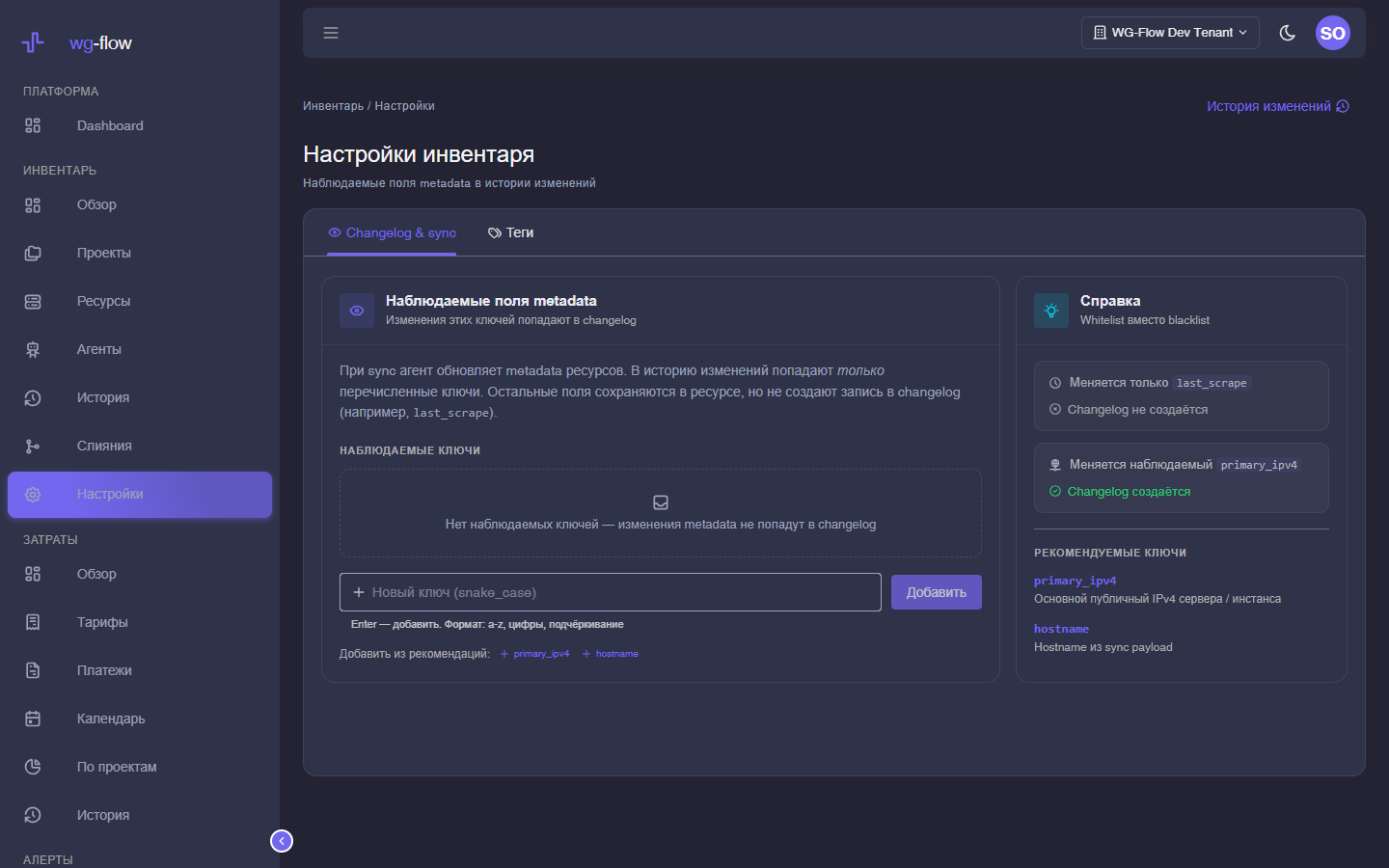
Changelog & sync
Every sync updates resource metadata. The changelog only records the keys you list (whitelist, max 50, snake_case). Everything else is stored on the card with no new journal row.
The UI suggests primary_ipv4 and hostname. Typical noise to leave unobserved: last_scrape.
On a resource with several sources, only the primary source writes observed fields. Otherwise Proxmox and Prometheus take turns flipping the hostname.
An empty list means metadata changes never hit the changelog.
Tags
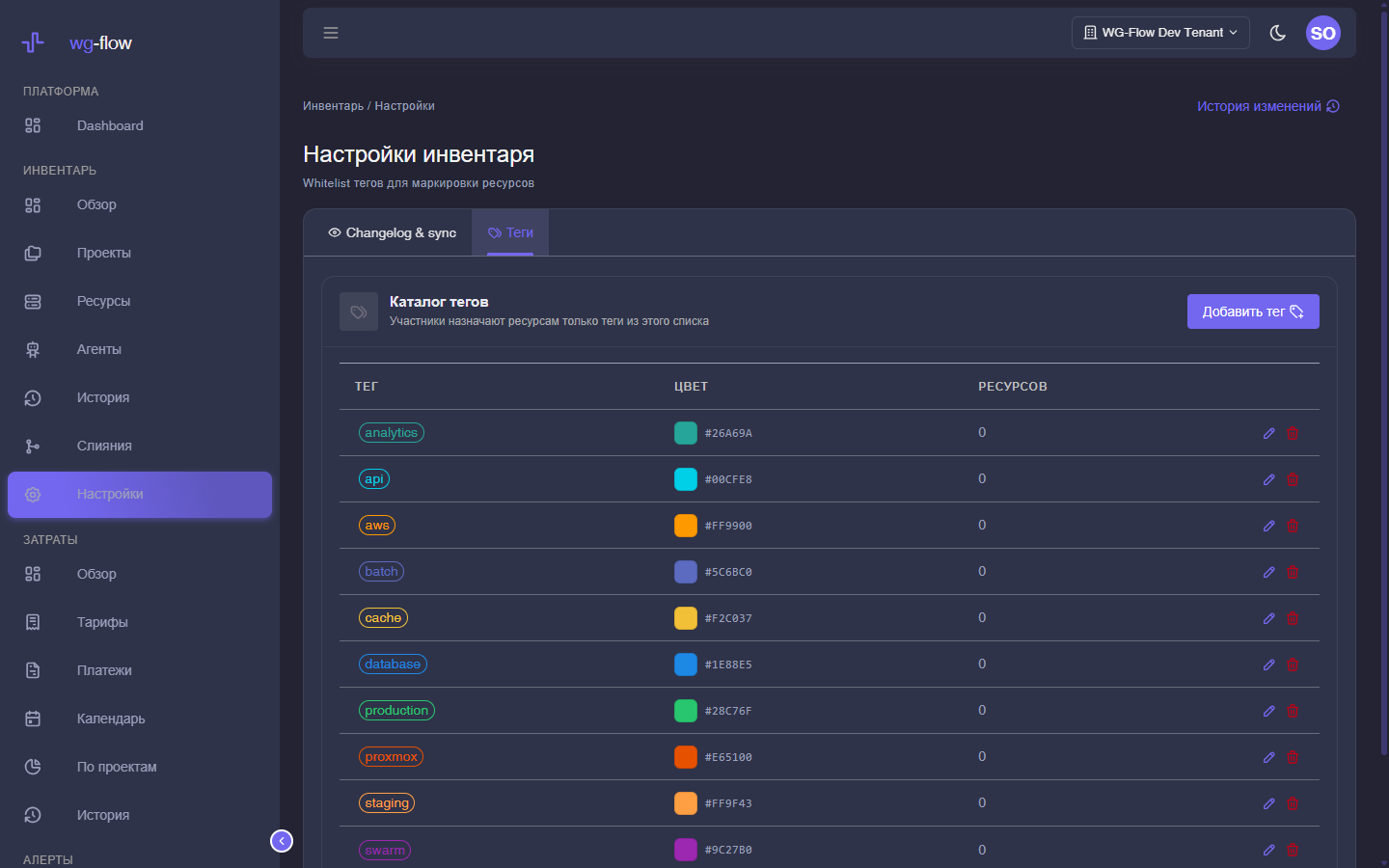
A workspace whitelist: name and color. Members may assign only these tags on the card and in bulk. Unknown names fail validation.
Deleting a tag unassigns it everywhere; the resources stay.