
Rates and charges
Costs → Rates. A record of “what we pay” while the resource (or other expense) is active.
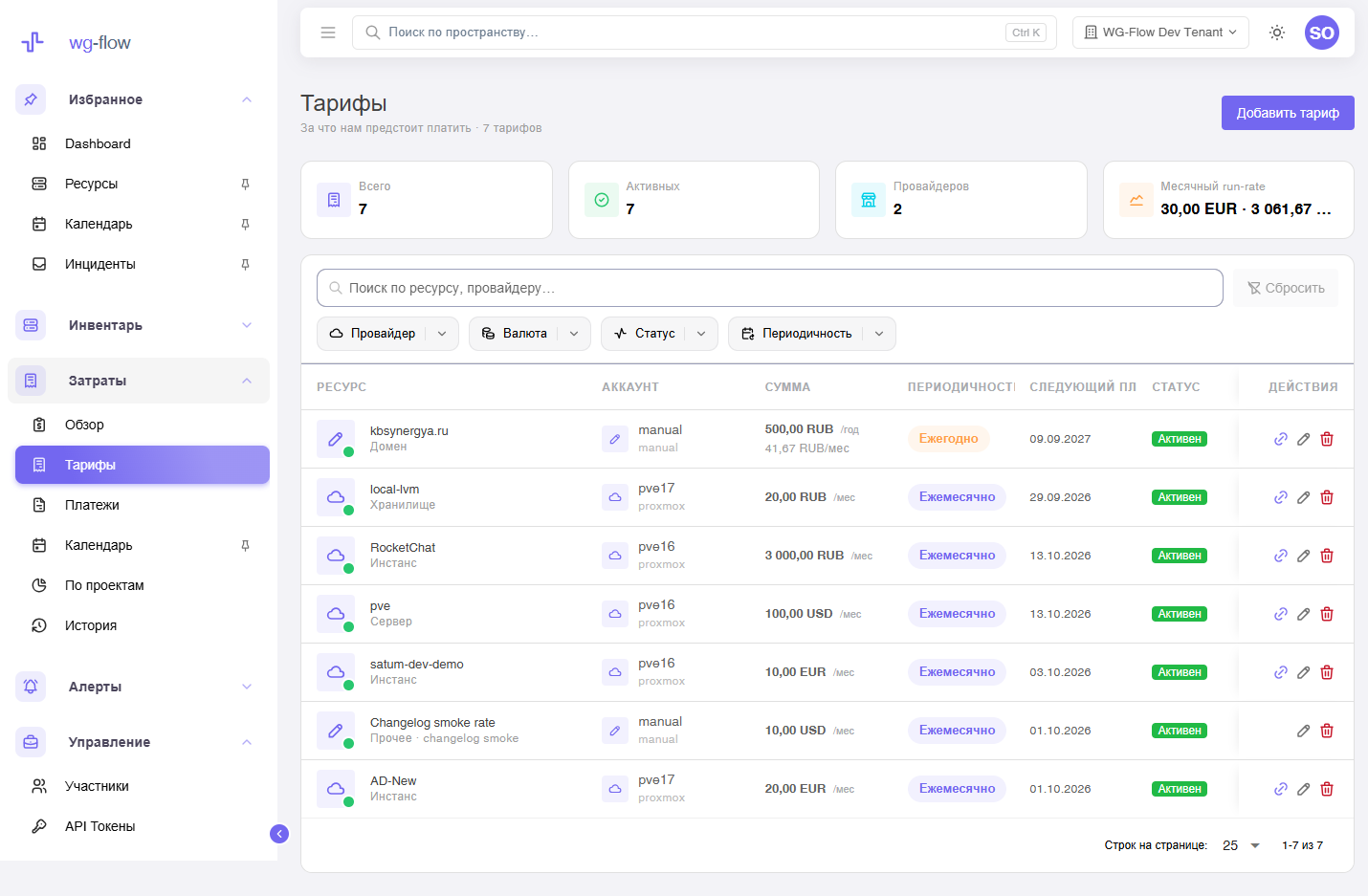
Same chrome as the resource catalog: search, provider / currency / status / period chips, 25 / 50 / 100 rows.
Create a rate
Add rate (owner / manager):
- From inventory — pick a resource; provider and name fill in.
- Other expense — no resource (shared bill, license): description and provider by hand.
Then: amount, currency, monthly or yearly, start date. Empty end date means the rate stays until you stop it.
Next payment and “active” are computed. A yearly amount is divided by 12 in run-rate.
Rate card
Click a row to open the rate: amount, next payment, paid and upcoming invoices.
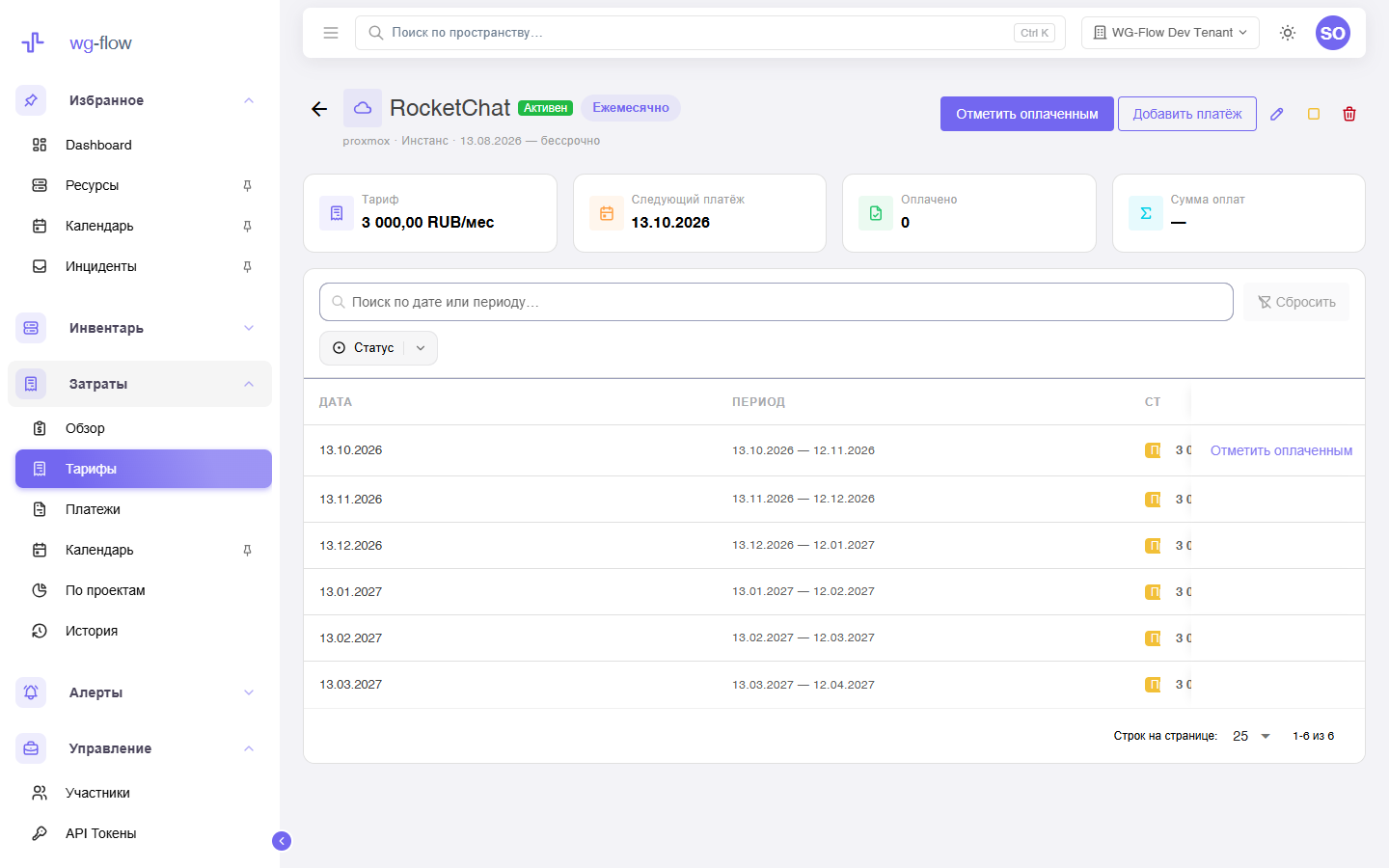
| Action | What happens |
|---|---|
| Mark paid | Creates a charge for the next period (idempotent). |
| Add charge | A manual invoice for an arbitrary interval. |
| Stop | Sets ends_on to today. Charge history stays. |
| Delete | Removes the rate entirely. |
The resource link opens inventory. The resource card shows the active rate the other way.
Charges
Costs → Charges is the history of already-paid invoices. A row with a rate opens the same card. An “other expense” charge may point at a project only when there is no resource.
Changelog
Costs → Changelog — create, edit, delete of a rate / charge / calendar event, and mark-paid. Filters match inventory: search, type, actor.